
How to Perform an SEO Audit for a Small Business Website

Starting your small business website is exciting but making sure people find it online can be challenging. If your website isn't getting the visibility or traffic you expected, understanding what's holding it back is the first step. An SEO audit for small business websites helps you understand how well your site performs in search engines and what you can do to improve it.
This guide walks you through a clear, step-by-step process to check your website’s SEO health, even if you don’t have advanced technical skills.

What Is an SEO Audit and Why It Matters
An SEO audit is a thorough review of your website to assess how well it follows search engine guidelines and best practices. It looks at many factors that affect your site’s visibility, discoverability, user experience, and organic traffic.
Why should you care? Because search engines like Google decide which websites to show first based on how well they meet user needs. If your site has issues, it might rank lower, leading to fewer visitors and potential customers.
An ongoing small business SEO audit helps you:
Spot and fix issues before they hurt your rankings
Keep your content fresh and relevant
Improve how easy your site is to use on all devices
Understand what your audience is searching for and how to meet their needs
Regular audits keep your website competitive and help your business grow online.
Understanding Crawling, Indexing, and Ranking
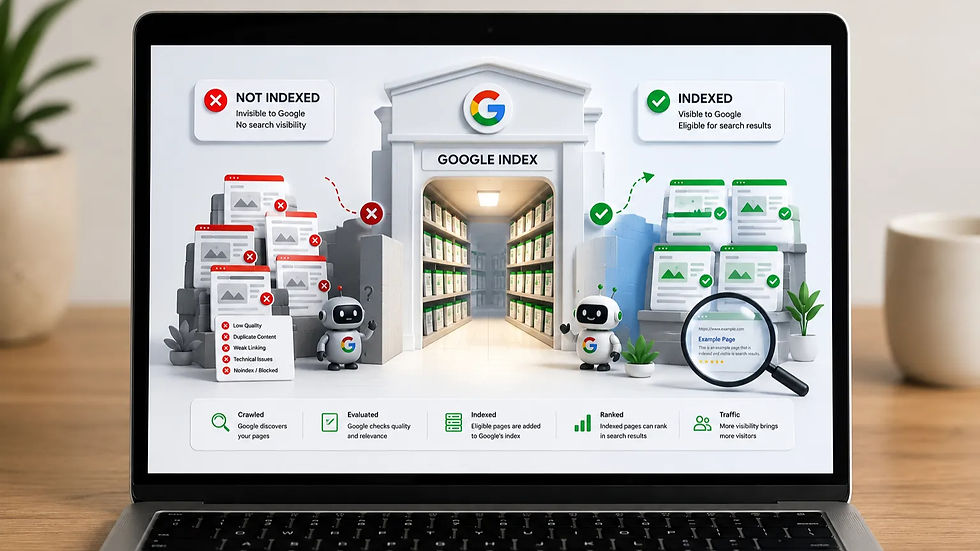
Search engines use automated programs called crawlers to explore your website. Crawling means these bots visit your pages, follow links, and collect information. Indexing is when search engines store this information in their database. Ranking is how they decide which pages to show first for a search query.
For your site to rank well, it must be easy to crawl and index. Here are key points to check:
Crawlability: Make sure search engines can access your pages. Use a `robots.txt` file to control what bots can see. Avoid blocking important pages.
Indexability: Confirm that pages you want to appear in search results are not marked with `noindex` tags.
XML Sitemap: This file lists your important pages and helps search engines find them quickly. Submit it in Google Search Console.
Canonical Tags: Use these to tell search engines which version of a page is the main one, avoiding duplicate content issues.
Broken Pages: Fix pages that return errors (like 404) because they hurt user experience and SEO.
Duplicate or Thin Content: Avoid having multiple pages with the same or very little content, as this confuses search engines.
Google Search Console is a free tool that shows how Google crawls and indexes your site. It alerts you to errors, indexing issues, and security problems.
On-Page Content Checks for Better SEO
Your website’s content is the heart of your SEO. It must answer what your visitors are looking for and be easy to understand for both people and search engines.
Focus on these elements:
Search Intent: Think about why someone searches for a term. Are they looking to buy, learn, or find a local service? Match your content to that intent.
Keywords: Use relevant keywords naturally in your text. Avoid stuffing keywords; instead, write clearly and helpfully.
Title Tags: These appear in search results and should include your main keyword and be under 60 characters.
Meta Descriptions: Summarize the page content in 150-160 characters to encourage clicks.
Headings: Use headings (H1, H2, H3) to organize content. Include keywords where it makes sense.
URLs: Keep URLs short, descriptive, and include keywords.
Internal Links: Link to other pages on your site to help visitors and search engines navigate.
Image Alt Text: Describe images with clear text to improve accessibility and SEO.
Content Relevance and Usefulness: Provide valuable, accurate, and original information that meets your audience’s needs.
For example, if you run a local bakery, your page about “birthday cakes” should explain your cake options, prices, and ordering process clearly, using terms people search for.
Technical SEO Audit Essentials
Technical SEO ensures your website runs smoothly and loads quickly, which affects rankings and user experience.
Check these technical areas:
Page Speed: Slow pages lose visitors. Use Google PageSpeed Insights to find and fix speed issues.
Core Web Vitals: These metrics measure loading performance, interactivity, and visual stability.
Mobile Usability: Your site must work well on phones and tablets. Test with Google’s Mobile-Friendly Test.
HTTPS: Secure your site with HTTPS to protect visitors and improve trust.
Broken Links and Redirects: Fix broken links and set up proper redirects for moved pages.
Image Optimization: Compress images to reduce load times without losing quality.
Site Structure: Organize your pages logically with clear navigation.
Structured Data/Schema: Add code that helps search engines understand your content better, like business info or product details.
Google Search Console and PageSpeed Insights are your best friends here. They provide clear reports and suggestions.

Assessing Content Quality and Freshness
Search engines favor content that is useful, accurate, relevant, original, and up to date. But keeping content fresh is only one part of maintaining a healthy website. Regularly reviewing your pages, fixing technical issues, checking links, and keeping important website elements updated can also support long-term performance.
This is why website maintenance should be treated as part of your ongoing SEO process, rather than something to think about only when something breaks.
Regularly review your pages to:
Remove or update outdated information
Combine thin or similar pages into one strong page
Redirect or delete duplicate or incomplete content
Adjust content to reflect changing search intent or trends
For example, if you wrote a blog post about “2022 holiday gift ideas,” update it yearly or create a new post for the current year to stay relevant.
Also, show your expertise and trustworthiness by citing sources, sharing credentials, and providing clear contact information. This builds confidence with both users and search engines.
Prioritizing SEO Fixes for Your Business
Not all SEO issues are equally urgent. Use this simple framework to decide what to fix first:
Fix Now: Problems that block search engines or cause major user issues, like broken pages, missing title tags, or slow loading.
Improve Next: Areas that boost performance but are not critical, such as enhancing meta descriptions or adding internal links.
Monitor: Elements to watch over time, like content freshness or minor technical tweaks.
Consider the impact on search visibility, user experience, how hard it is to fix, and what matters most for your business goals.
For example, fixing a broken checkout page should come before updating blog post keywords because it directly affects sales.
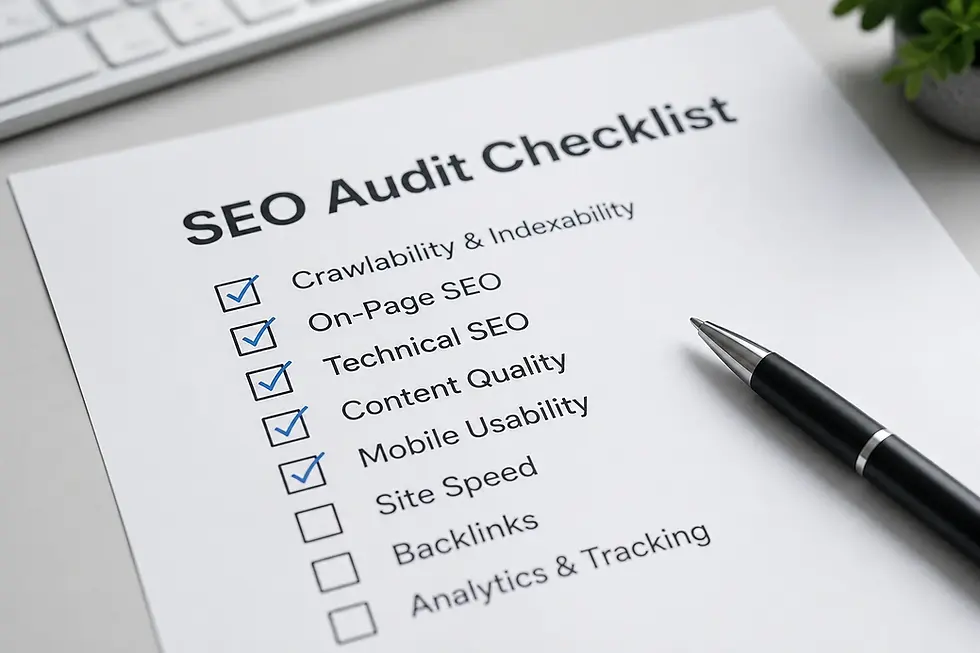
Running a website SEO audit regularly helps you spot problems early and keep your site healthy. By understanding crawling, content, technical factors, and quality, you can improve your small business SEO step by step. Search is also evolving beyond traditional search results, making understanding how AI search discovers and selects websites increasingly relevant to long-term digital visibility.
Start your SEO audit today with this checklist and watch your website become easier to find and more useful to your visitors. Your small business deserves to be seen.


Comments